
Guide
How to watch Candy Shorts uncensored, from first click to episode 3
The uncensored episodes of Candy Shorts are not hidden on some other site. They are on candy.ai, in a tier called Spicy that only appears once you sign in. This guide walks through the whole route: account, tier, free episodes, tokens, devices and subtitles.
The route in one line
Open candy.ai in a browser, create the free account, open any Spicy series and play episodes 1 and 2 at 0 tokens; from episode 3 you pay per episode with tokens.
Step by step
- Go to candy.aiAny browser works: Safari or Chrome on a phone, any desktop browser on a computer. Candy Shorts is a section of the site, not a separate app.
- Create the free accountAn email address and a password. No card is requested to sign up, and nothing is charged.
- Confirm you are an adultCandy AI is an 18+ service. Once you are in, the Spicy row and Spicy search results become visible.
- Choose a Spicy seriesBrowse the Spicy row or search a title such as Tori's Broken Vows or Good Boy For Stepmom.
- Play episodes 1 and 2Neither costs a token once the free account is set up.
- Decide at episode 3The player shows the token price before the episode starts: 30 tokens, or 50 if a star leads. You confirm, or you stop.
Why the Spicy tier does not show up
The most common complaint is "the series has gone". It has not: Spicy series are filtered out for anyone who is signed out, including search results. If a title you know returns nothing, sign in and search again.
The same filter explains why Spicy posters and episode frames are hard to find outside candy.ai. The pages on this site show the poster and the episode prices for each Spicy series, without frames from inside the episodes.
The free episodes, tier by tier
| Tier | Episode 1 | Episode 2 | From episode 3 |
|---|---|---|---|
| Open shelf | Free, no account | Free, with free account | 12 tokens (30 with a star) |
| Spicy (uncut) | Free, with free account | Free, with free account | 30 tokens (50 with a star) |
There is no legitimate way to watch past episode 2 without tokens. Tokens come with Premium (100 a month); Candy Shorts pricing compares the options.
Phone, tablet or computer
Candy Shorts is filmed in portrait for phones. On a phone held upright the video fills the screen; on a computer it plays as a tall panel and can be made full screen. A home-screen shortcut to candy.ai behaves much like an app icon, which is as close to an app as Candy Shorts gets.
Episodes stream; there is no official download. Anything sold as an offline copy is not from Candy AI.
Subtitles
Every series offers subtitles in English, French, German, Spanish, Italian, Portuguese and Japanese. Pick the language from the player; it can be changed mid-episode.
Where to start on the uncut tier
 10 ep.Tori's Broken VowsSpicy · uncutNew003030303030303030240 tokens after the free pair
 5 ep.Good Boy For StepmomSpicy · uncut0030303090 tokens after the free pair
 5 ep.Professor MiaSpicy · uncutMia Malkova00505050150 tokens after the free pair
 10 ep.Blackout At My Yacht PartySpicy · uncutRiley Reid005050505050505050400 tokens after the free pair
 5 ep.Bella, My Step-DaughterSpicy · uncutNew0030303090 tokens after the free pair
 10 ep.Accident With My StepmomSpicy · uncutNew003030303030303030240 tokens after the free pair
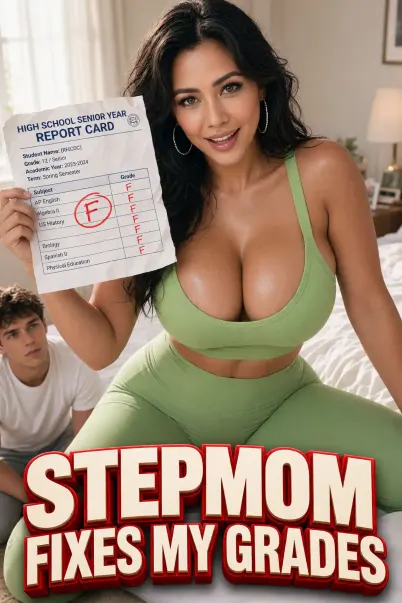 5 ep.Stepmom Fixes My GradesSpicy · uncut0030303090 tokens after the free pair
 5 ep.My Girlfriend's StepsisterSpicy · uncutNew0030303090 tokens after the free pair
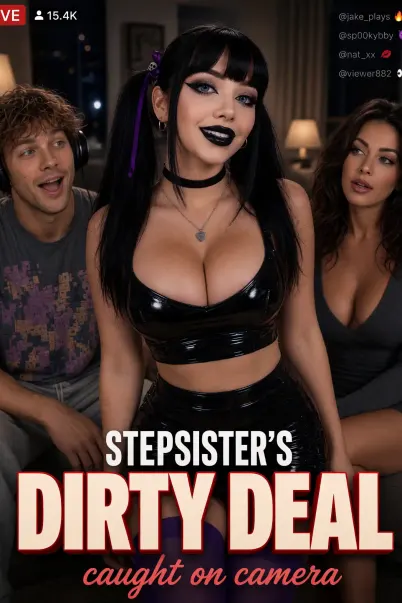 7 ep.Stepsister's Dirty DealSpicy · uncut003030303030150 tokens after the free pair
 5 ep.My Girlfriend's Step-Aunt Is Asa AkiraSpicy · uncutAsa Akira00505050150 tokens after the free pair
 5 ep.Wife's Step SisterSpicy · uncutNew0030303090 tokens after the free pair
 5 ep.My Stepsister Is Back (Bonnie Blue)Spicy · uncutBonnie Blue00505050150 tokens after the free pair
 5 ep.Riley Reid's Forbidden StepdaddySpicy · uncutRiley Reid00505050150 tokens after the free pair
 5 ep.My Step-Son's BullySpicy · uncutLexi Luna00505050150 tokens after the free pair
 5 ep.Truth or Dare With My StepsisterSpicy · uncutNew0030303090 tokens after the free pair
 5 ep.Nerdy StepdaughterSpicy · uncutNew0030303090 tokens after the free pair
 5 ep.Mona: My Wild Step-SisterSpicy · uncut0030303090 tokens after the free pair
 8 ep.What They Don't KnowSpicy · uncut00303030303030180 tokens after the free pair
 5 ep.Caught With Stepmom's Dirty PantiesSpicy · uncutNew0030303090 tokens after the free pair
Not sure? The Spicy page sorts all of them by price, and the theme pages group them by story.
Watching uncensored: common questions
Do I need Premium to watch Candy Shorts uncensored?
No. The free account shows the Spicy tier and plays the first two episodes of each series. Premium or tokens are needed only from episode 3.
Is there a Candy Shorts uncensored app?
No separate app. Candy Shorts runs in the browser on candy.ai, on phones and computers alike.
Can I download uncensored episodes?
Not officially; episodes stream on candy.ai.
Will anyone see that I watch?
Your history is in your Candy AI account. Charges appear as EverAI on bank statements; see is Candy Shorts safe.